A good recorder with a lot of options
Everyone has probably needed a sound recorder at least once in their life. Most mobile phones have a built-in app to record sound, but what if you wanted to record the audio from your PC? The recorders in your computer will probably be simple. They will be serviceable, sure, but you won’t have enough freedom to customize the output file. The best thing to do when you need to record audio from your PC is to download a good software that will allow you to edit and improve your recording. The Sound Recorder Professional is one such software.
Installation and Interface
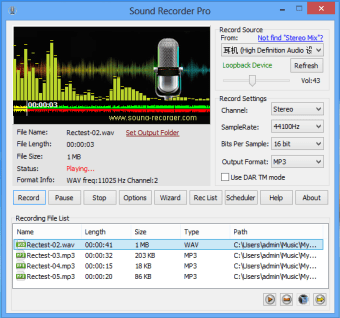
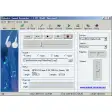
The Sound Recorder Professional is an extremely easy program to download and install. It didn’t take to long for it to be downloaded and installing the program didn’t take a very long process. Once the software has been installed, you’ll be taken directly to the interface of the software. The program is crammed into a small window. Usually, a small window is not that big of a problem. However, the software has a lot of options and functions that could have benefitted from a larger screen. In addition, there is no way to make the screen bigger. As a result, the program tends to look too cluttered and messy. That said, it does have a lot of options that people can use to make their recordings better, as mentioned before.
Various Options
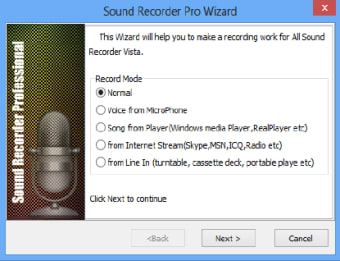
Before getting into all of the options that the Sound Recorder Professional provides its users, let’s talk about the recording process and how easy it is. All you have to do is to install your recording device and click the record button. Make sure that you click the correct recording source in the appropriate drop-down menu at the top-right of the screen.
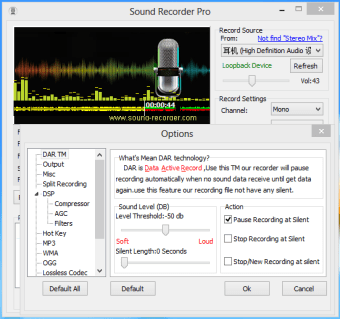
If you check the Option button at the bottom of the screen, you’ll be able to find a lot of the options that you can change in order to optimize your recordings. For example, it has the extremely useful and revolutionary DAR technology. It means Data Active Record and it automatically pauses recording when no audio data is being received in order to prevent silence in recordings.
You’ll also be able to split recordings, choose to use a compressor, AGC, filters, and more. You can choose different options that are specific to a certain filetype. It is such a great thing to be able to optimize your recordings.
Good Recorder Overall
Ultimately, there’s no reason not to use the Sound Recorder Professional if you’re going to record sound. This is especially so if you’re going to be recording a lot and using it with your work. It’s a pretty good investment when you think about it. It allows more freedom, flexibility, and customizability. These are no doubt great features to have with sound recorders.